
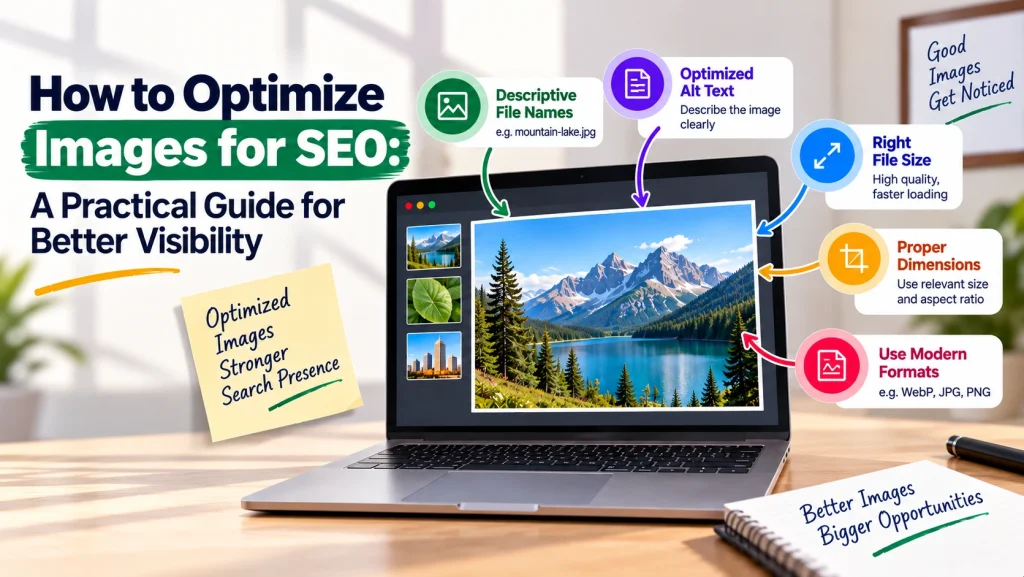
Images can make a website more engaging, easier to understand, and visually appealing. However, poorly optimized images can slow down pages and make it harder for search engines to understand their context. Learning how to Optimize Images for SEO helps businesses improve both user experience and search visibility.
This guide explains the essential image optimization techniques you can use to create faster, more accessible, and SEO-friendly images.
In This Article
- Why image optimization matters for SEO
- Choosing the right image format and file size
- Using descriptive filenames and alt text
- Improving image context and page performance
- Common image SEO mistakes to avoid
Why Image Optimization Matters for SEO
Image SEO is about helping search engines and users understand your visual content while maintaining strong website performance. Large, uncompressed images can increase page loading time, while unclear filenames and missing alt text provide less context about what an image represents.
Effective image optimization for SEO supports several important areas, including page speed, accessibility, user experience, and search engine understanding. The goal is not simply to add keywords to every image but to provide relevant visual content with meaningful information.
Choose the Right Format and Reduce File Size
One of the most important image optimization techniques is selecting an appropriate file format. Common formats include JPEG, PNG, WebP, and SVG, and each serves different purposes.
For example, photographs may work well in compressed formats, while logos and simple graphics may require formats that preserve sharp details. Modern formats such as WebP can often help reduce file sizes while maintaining good visual quality.
Before uploading images, resize them according to their intended display dimensions and compress them carefully. Avoid uploading an extremely large image when it will only appear as a small website element.
Use Descriptive Filenames and Alt Text
If you want to know where to start with image SEO, filenames and alt text are essential.
Instead of uploading a file named IMG_4582.jpg, use a descriptive filename such as seo-image-optimization-guide.jpg when it accurately represents the image.
Alt text should clearly describe the image for users and assistive technologies. It can also provide useful context to search engines. Keep it natural and specific rather than repeatedly inserting keywords.
For example, an image showing a marketer compressing website images could use alt text such as: “Professional optimizing website images for faster page loading.”
How to Optimize Images for SEO With Better Context
Search engines consider more than the image file alone. The surrounding content, headings, captions, and page topic can help establish what an image is about.
Place images near relevant text and use visuals that genuinely support the content. Where appropriate, captions can provide additional context.
You should also ensure that images work properly across different devices. Responsive design, suitable dimensions, and efficient loading practices contribute to a better overall experience. These steps are important when learning how to optimize images for SEO without sacrificing visual quality.
Common Mistakes to Avoid
Avoid these common issues when creating SEO-friendly images:
- Using unnecessarily large image files
- Uploading images with generic filenames
- Leaving important images without useful alt text
- Adding irrelevant keywords to alt text
- Using low-quality visuals that do not support the page content
- Ignoring how images affect website performance
A good approach balances visual quality, relevance, accessibility, and performance.
Frequently Asked Questions
Q1. What is image SEO?
Ans: Image SEO is the process of optimizing images so they provide better context, accessibility, and website performance while supporting search visibility.
Q2. Which image format is best for SEO?
Ans: There is no single format that is best for every situation. The right choice depends on the image type, required quality, and file size. Modern formats such as WebP can be useful for many website images.
Q3. Does alt text help image optimization for SEO?
Ans: Yes. Alt text helps describe an image and improves accessibility. It should accurately explain the image rather than being used for keyword stuffing.
Q4. How can I reduce image file size without losing quality?
Ans: Resize images to appropriate dimensions and use reliable compression methods. Always check the final image to ensure the quality remains suitable for your website.
Conclusion
To Optimize Images for SEO, focus on meaningful filenames, useful alt text, appropriate formats, reduced file sizes, and relevant page context. These practices can help create a faster and more user-friendly website while making visual content easier to understand.
Improve Your Website’s SEO and Image Performance With Expert Support
Effective image optimization works best as part of a broader Search Engine Optimization (SEO) strategy. TVM Info Solutions provides professional digital marketing and SEO support for businesses looking to improve website visibility, content quality, and overall digital performance. Discuss your business requirements with our team to build a strategy suited to your website.