

On-Page SEO

Internal Linking Strategy How to Build Better Website Connections
SEO

Internal Linking Strategy: How to Build Better Website Connections

A strong internal linking strategy helps connect related pages across a website, making it easier for visitors to discover useful information and for search engines to understand the site’s structure. Instead of adding links randomly, businesses should create a clear path between important pages, supporting content, and relevant resources. Knowing how to use internal links effectively can improve website navigation, distribute attention across related pages, and create a more organized SEO structure. This article explains how internal linking works, how to add internal links, and what makes a linking strategy useful. In This Article What Is an Internal Linking Strategy? An internal linking strategy is a planned approach to linking one page on your website to another page on the same domain. These links can connect blog posts, service pages, product pages, category pages, and other useful resources. A good strategy starts with relevance. For example, a blog article about SEO can naturally link to a related SEO service page or another useful article about keyword optimization. This creates a logical relationship between pages instead of treating every link as an isolated element. How to Use Internal Links Effectively The first step is to identify pages that naturally support one another. When deciding how to use internal links, ask whether the destination provides additional information that the reader may genuinely need. Use descriptive anchor text that explains the destination. Instead of “click here,” a phrase such as SEO services gives users clearer context. It is also useful to connect informational content with relevant commercial pages when the transition feels natural. A blog discussing search optimization, for example, can point readers toward a relevant service page without interrupting the article. How to Add Internal Links Naturally When considering how to add internal links, start by reviewing existing content and identifying meaningful connections. A practical process is: Internal links should support the reader’s journey, not simply increase the number of links on a page. Internal Linking Best Practices for SEO Effective internal linking in SEO depends on relevance, clarity, and structure. Important pages should be accessible through useful internal links rather than being isolated from the rest of the website. Use varied but descriptive anchor text where appropriate, and avoid forcing the same keyword into every link. Links should also be distributed naturally throughout useful content instead of being grouped together without context. A strong internal link building strategy can also help organize related content into logical topic groups. For example, several detailed articles about SEO can point toward a broader SEO resource, while that resource can connect readers to more specific supporting pages. Common Website Internal Linking Mistakes Common problems include linking unrelated pages, using vague anchor text, creating too many links in a small section, and leaving important pages difficult to reach. Another mistake is adding links purely for SEO without considering whether they help the reader. Every internal link should have a clear purpose. Regularly reviewing your website internal linking can reveal broken links, outdated destinations, isolated pages, and opportunities to strengthen relationships between related content. Frequently Asked Questions Q1. What is an internal linking strategy? Ans: An internal linking strategy is a planned method of connecting relevant pages within the same website to improve navigation, content relationships, and website structure. Q2. How many internal links should a page have? Ans: There is no universal number. Add internal links whenever they provide genuine value and fit naturally within the content. Relevance is more important than quantity. Q3. Does internal linking help SEO? Ans: Internal links can help search engines discover pages and understand relationships between content. They can also make it easier for visitors to navigate related information. Q4. Should every internal link use the same keyword? Ans: No. Repeating the same keyword unnecessarily can make links look unnatural. Use clear, descriptive anchor text that accurately represents each destination. Conclusion A well-planned internal linking strategy turns separate website pages into a connected information structure. By linking relevant content with descriptive anchor text and prioritizing user needs, businesses can create a website that is easier to navigate and easier for search engines to understand. The goal is not to add more links simply for SEO. The goal is to create useful connections between valuable pages. Strengthen Your Website’s Internal SEO Structure For businesses with large or growing websites, maintaining a clear linking structure can become difficult as new pages and content are added. TVM Info Solutions provides professional SEO support, including technical and on-page optimization, to help businesses build a more organized search strategy. If you need professional assistance with your website’s SEO structure and content optimization, discuss your requirements with the TVM Info team. 📞 Call Us: +919004590039📧 Email: contact@tvminfo.com Our Business Automation Solutions: 💬 ChatKar – Turn WhatsApp chats into sales🌟 StarCreator – Build AI automations📧 AutoMailSend – Own your email marketing🎯 AttractLead – Capture & convert leads automatically
On-Page SEO Mistakes Common Mistakes to Avoid
SEO

On-Page SEO Mistakes: Common Mistakes to Avoid

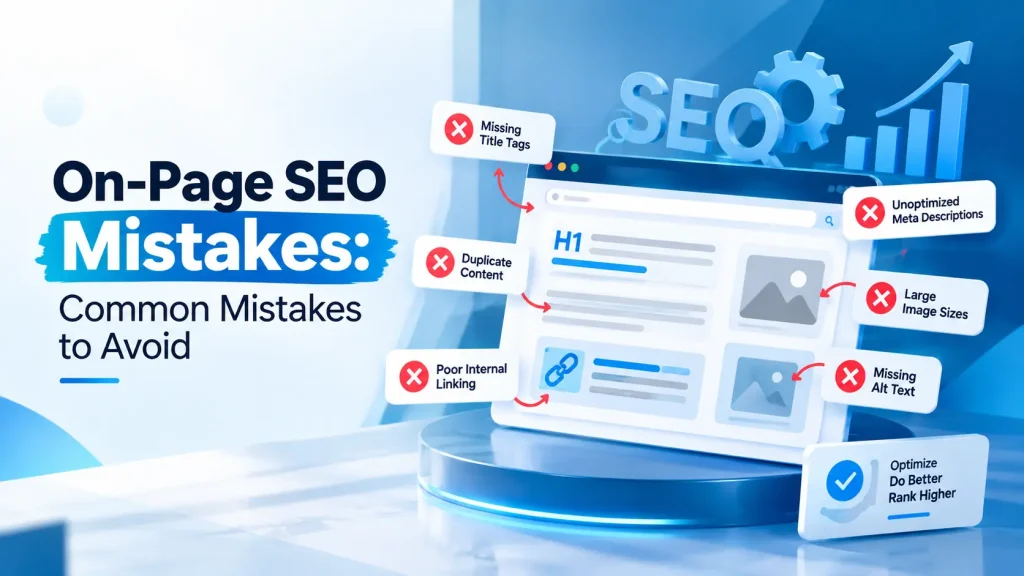
On-page SEO mistakes can make otherwise useful website content harder for search engines to understand and less useful for visitors. Issues such as weak title tags, poor content structure, missing internal links, and keyword overuse can affect how effectively a page communicates its topic. Knowing the on page SEO mistakes to avoid helps businesses maintain a cleaner, more useful website. This guide covers the most common errors and provides a practical approach to reviewing important on-page elements. In This Article Common On-Page SEO Mistakes to Watch One of the most common mistakes is creating content without a clear search intent. A page should address what users are actually looking for instead of focusing only on inserting keywords. Another frequent issue is weak title tags and meta descriptions. These elements should accurately describe the page and encourage relevant clicks without making misleading claims. Poor heading structure is another problem. Use one clear H1 and logical H2 or H3 headings to organize the content. This makes longer pages easier to scan and understand. Keyword and Content Errors Keyword usage should feel natural. Repeating the same phrase excessively can make content difficult to read and may create a keyword stuffing problem. A better approach is to use the primary topic naturally alongside related terms, questions, entities, and supporting concepts. Content should answer the user’s need rather than being written around an artificial keyword frequency. Thin or repetitive content is another concern. Each important page should have a clear purpose and provide information that is genuinely useful to its intended audience. Website Structure and Technical Issues A page can have good content and still suffer from structural problems. Broken internal links, unclear navigation, duplicate page elements, missing image alt text, and poor mobile usability can reduce the quality of the overall experience. Internal links should connect related pages using descriptive anchor text. They can help visitors discover additional resources while giving search engines more context about relationships between pages. Businesses should also review whether important pages are easily discoverable within the site’s overall website structure. A Practical On-Page SEO Checklist Use this on page SEO checklist when reviewing a page: A checklist helps turn SEO review into a repeatable process rather than a one-time task. How to Avoid Recurring SEO Problems The best way to prevent common on page SEO mistakes is to review important pages regularly. New content, redesigns, URL changes, and added features can introduce problems that were not present originally. Instead of optimizing individual elements in isolation, evaluate how content, headings, links, images, navigation, and technical accessibility work together. This creates a more consistent user experience and a stronger foundation for search visibility. Frequently Asked Questions Q1. What are the most common on-page SEO mistakes? Ans: Common issues include poor title tags, weak content structure, keyword stuffing, missing alt text, broken internal links, unclear headings, and content that does not satisfy search intent. Q2. How can I check my website for on-page SEO mistakes? Ans: Start with an on-page SEO checklist covering titles, headings, content, keywords, images, internal links, mobile usability, and technical accessibility. A deeper audit can identify issues that are harder to spot manually. Q3. Does keyword stuffing hurt on-page SEO? Ans: Excessive and unnatural keyword repetition can make content difficult to read and conflicts with search-engine guidelines. Keywords should be used naturally and only where they help explain the topic. Q4. How often should on-page SEO be reviewed? Ans: There is no fixed schedule for every website. Review important pages when publishing new content, making major site changes, updating URLs, or when performance and usability issues become apparent. Conclusion Avoiding on-page SEO mistakes is less about following a rigid formula and more about maintaining clear, useful, technically accessible pages. A consistent review process can help businesses identify weak content, structural issues, linking problems, and unnecessary optimization. A practical on-page SEO checklist makes these reviews easier and helps keep SEO aligned with both user needs and search-engine requirements. Need Professional Support for On-Page SEO? Managing on-page SEO across a growing website can become difficult when pages, content, and technical elements continue to expand. TVM Info Solutions provides professional SEO support, including on-page optimization, keyword optimization, content strategy, and broader SEO analysis. If your business needs help identifying and resolving on-page SEO issues, discuss your website requirements with the TVM Info team. 📞 Call Us: +919004590039📧 Email: contact@tvminfo.com Our Business Automation Solutions: 💬 ChatKar – Turn WhatsApp chats into sales🌟 StarCreator – Build AI automations📧 AutoMailSend – Own your email marketing🎯 AttractLead – Capture & convert leads automatically
Anchor Text in SEO Meaning Types Best Practices
SEO

Anchor Text in SEO: Meaning, Types & Best Practices

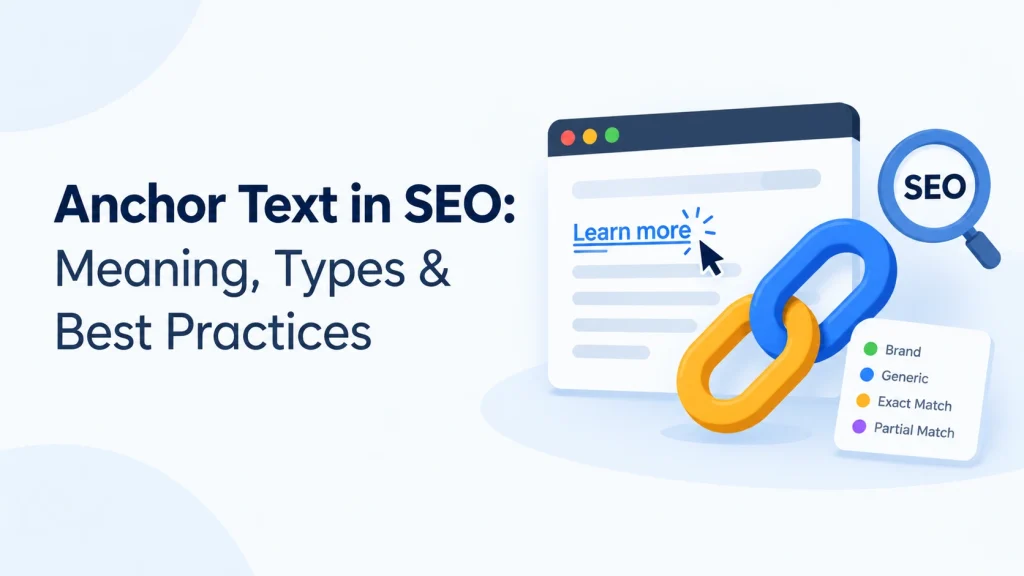
Anchor text is the visible, clickable text within a hyperlink. It helps users understand where a link will take them and gives search engines additional context about the linked page. Understanding anchor text in SEO is therefore important when building internal links, creating useful content, and developing a clear website structure. The right anchor text should be descriptive, natural, and relevant to both the linking page and the destination. This guide explains what is anchor text, the main types, how it supports SEO, and practical ways to use it effectively. In This Article What Is Anchor Text in SEO? Anchor text is the clickable wording used in a hyperlink. For example, in the sentence “Explore our SEO services,” the words “SEO services” are the anchor text. The anchor text meaning goes beyond simply making a link clickable. It provides context about the page being linked to. Descriptive wording can help users understand what they can expect after clicking and can also help search engines interpret relationships between pages. For example, “website development services” provides more useful context than a generic phrase such as “click here.” How Does Anchor Text Work? When a page links to another relevant page, the anchor text acts as a small contextual signal. It connects the wording surrounding the link with the destination page. For example: Good: Learn more about website development services. Less useful: Click here to learn more. The first example clearly communicates what the linked page is about. This improves navigation and creates a more understandable website experience. For internal links, descriptive anchor text can also help visitors discover related content and important service pages without interrupting the natural flow of the article. Types of Anchor Text There are several common types of anchor text used in SEO: A natural linking strategy can use different types where they make sense instead of repeatedly forcing the same keyword. Anchor Text Best Practices Effective anchor text should be descriptive, concise, and relevant. Choose wording that naturally fits the sentence and accurately represents the destination page. Avoid changing every link into an exact keyword match. Repeatedly forcing commercial or keyword-heavy phrases can make content look unnatural and reduce readability. For internal links, consider what additional information would genuinely help the reader. If a page discusses search optimization, linking relevant terms to a detailed SEO resource can make the navigation more useful. It is also better to avoid vague anchor text when a clearer description is available. Users should have a reasonable idea of the destination before clicking. Common Anchor Text Mistakes Some common mistakes include using the same anchor text excessively, linking unrelated pages, using overly generic phrases, and adding links where they provide little value. Another issue is keyword stuffing within anchor text. Anchor text should support the reader rather than become a place to insert multiple variations of a target keyword. A practical approach is simple: write the sentence naturally first, then use the most accurate phrase as the link text. Frequently Asked Questions Q1. What is anchor text in SEO? Ans: Anchor text is the visible clickable text of a hyperlink. It helps users and search engines understand the subject or purpose of the linked page. Q2. Which type of anchor text is best for SEO? Ans: No single type is always best. Descriptive and contextually relevant anchor text is generally preferable because it clearly communicates what users can expect from the linked page. Q3. Is exact-match anchor text bad for SEO? Ans: No. Exact-match anchor text can be useful when it naturally fits the context. The problem is unnatural or excessive repetition, rather than simply using an exact phrase. Q4. Should internal links use anchor text? Ans: Yes. Relevant internal links with descriptive anchor text can help users navigate related information and help search engines understand connections between pages. Conclusion Understanding anchor text in SEO helps businesses create clearer links, better navigation, and more meaningful connections between related pages. The most effective approach is to use natural, descriptive, and contextually relevant wording instead of forcing keywords into every link. Good anchor text should ultimately serve the reader first while providing useful context about the destination page. Build a More Effective Internal Linking Strategy A strong internal linking structure requires more than adding hyperlinks to existing content. TVM Info Solutions provides professional SEO support, including on-page optimization and content-focused strategies that can help businesses create a more organized and search-friendly website structure. If your website needs a more focused SEO and internal linking approach, discuss your requirements with the TVM Info team. 📞 Call Us: +919004590039📧 Email: contact@tvminfo.com Our Business Automation Solutions: 💬 ChatKar – Turn WhatsApp chats into sales🌟 StarCreator – Build AI automations📧 AutoMailSend – Own your email marketing🎯 AttractLead – Capture & convert leads automatically
How to Avoid Keyword Stuffing and Keep Your SEO Natural
SEO

How to Avoid Keyword Stuffing and Keep Your SEO Natural

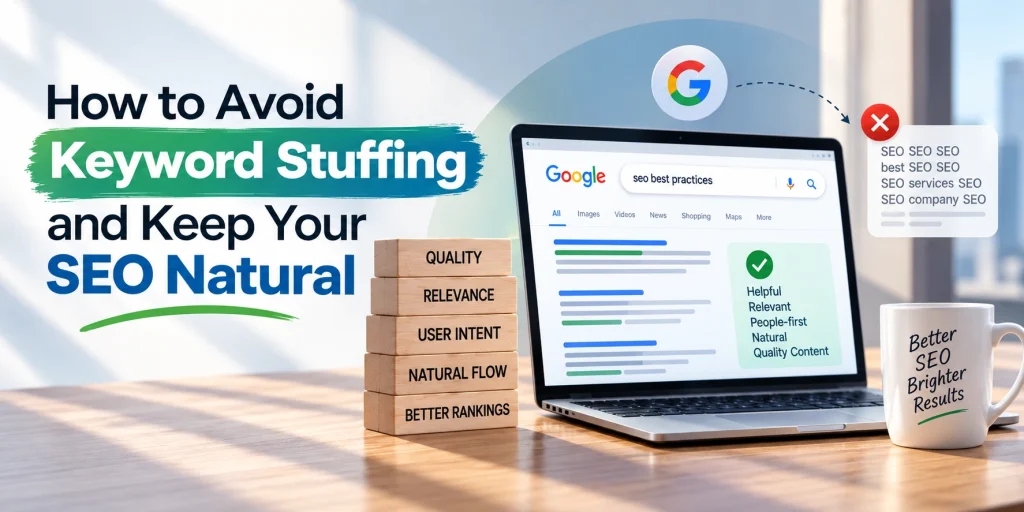
Keyword stuffing can make content feel unnatural, repetitive, and difficult to read. It happens when keywords are added excessively or in places where they do not fit naturally, usually in an attempt to influence search rankings. Google identifies keyword stuffing as a spam practice when words or phrases are repeated unnaturally or out of context. For businesses, the better approach is to create useful, people-first content and use relevant search terms where they genuinely support the topic. This guide explains the keyword stuffing meaning, common examples, and practical ways to avoid it. In This Article What Is Keyword Stuffing? Keyword stuffing in SEO means using the same keyword or closely related phrases excessively within a webpage, often without adding useful information. It may appear in paragraphs, headings, metadata, image alt text, or other page elements. For example, a sentence such as “Our SEO services provide SEO services for businesses looking for SEO services” sounds forced because the keyword is repeated without improving the message. Good SEO focuses on relevance, context, and readability, rather than repeating a phrase a certain number of times. Common Keyword Stuffing Examples Keyword stuffing can take several forms. Repeating an exact keyword in almost every paragraph is one obvious example. Another is creating awkward lists of keywords or locations that provide little value to visitors. It can also happen when keywords are unnecessarily inserted into title tags, headings, URLs, image alt text, or link text. Google specifically advises against repeated words or phrases that make content sound unnatural. The key warning sign is simple: if a sentence sounds like it was written for a search engine rather than a person, revise it. How to Avoid Keyword Stuffing Start by identifying the main search intent and write the content around the reader’s actual question. Use the primary keyword where it fits naturally, then rely on related terms, synonyms, and contextual language to explain the subject thoroughly. Avoid forcing the exact keyword into every heading or paragraph. Instead, vary your wording and allow the topic to develop naturally. A useful editing check is to read the article aloud. If a keyword sounds repetitive or interrupts the flow, replace it with a natural alternative or remove it completely. Better Keyword Placement for SEO Use important keywords in meaningful locations such as the page title, main heading, introduction, relevant subheadings, and body content when appropriate. Google recommends using words people search for in prominent and descriptive locations, while still prioritizing helpful content. The goal is not to achieve a particular keyword density. The goal is to make the page clear, useful, and relevant to its intended audience. Why Natural Content Matters for SEO Strong SEO content answers the user’s question efficiently while providing enough context to be genuinely useful. Natural language, clear structure, relevant information, and good readability create a better experience than repetitive keyword usage. Businesses that need help developing a balanced SEO content strategy can work with TVM Info, which provides search engine optimization and content-focused digital marketing support. Frequently Asked Questions Q1. What is keyword stuffing? Ans: Keyword stuffing is the excessive or unnatural use of keywords on a webpage, usually with the intention of manipulating search visibility. Q2. Is keyword stuffing bad for SEO? Ans: Yes. Keyword stuffing in SEO can make content difficult to read and may violate Google’s spam policies when keywords are used unnaturally to manipulate search results. Q3. How can I avoid keyword stuffing? Ans: Focus on search intent and helpful content, use keywords only where they fit naturally, and include related terminology instead of repeatedly using the same phrase. Q4. Is there an ideal keyword density? Ans: There is no universal keyword-density percentage that guarantees better SEO. Natural usage and topical relevance are more important than reaching a specific number. Conclusion Avoiding keyword stuffing starts with a simple principle: write for people first. Use relevant keywords where they help explain the topic, but never sacrifice clarity just to repeat a search term. A well-structured, useful page can communicate its subject naturally without excessive optimization. Build a More Natural SEO Content Strategy If your website needs content that balances search visibility, keyword relevance, and reader experience, TVM Info can provide professional SEO support tailored to your business requirements. 📞 Call Us: +919004590039📧 Email: contact@tvminfo.com Our Business Automation Solutions: 💬 ChatKar – Turn WhatsApp chats into sales🌟 StarCreator – Build AI automations📧 AutoMailSend – Own your email marketing🎯 AttractLead – Capture & convert leads automatically
What Is Internal Linking in SEO How It Works and Why It Matters
SEO

What Is Internal Linking in SEO? How It Works and Why It Matters

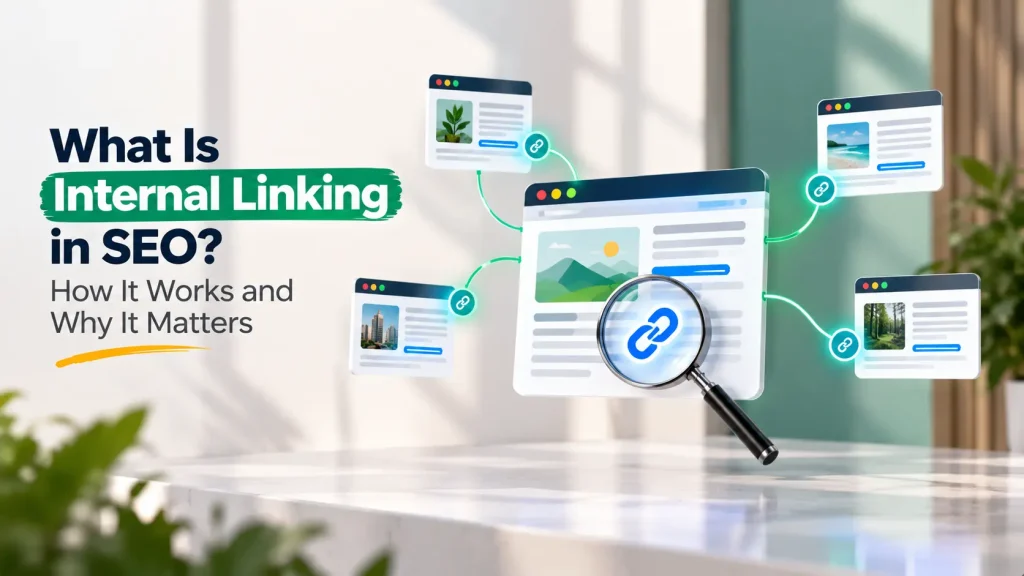
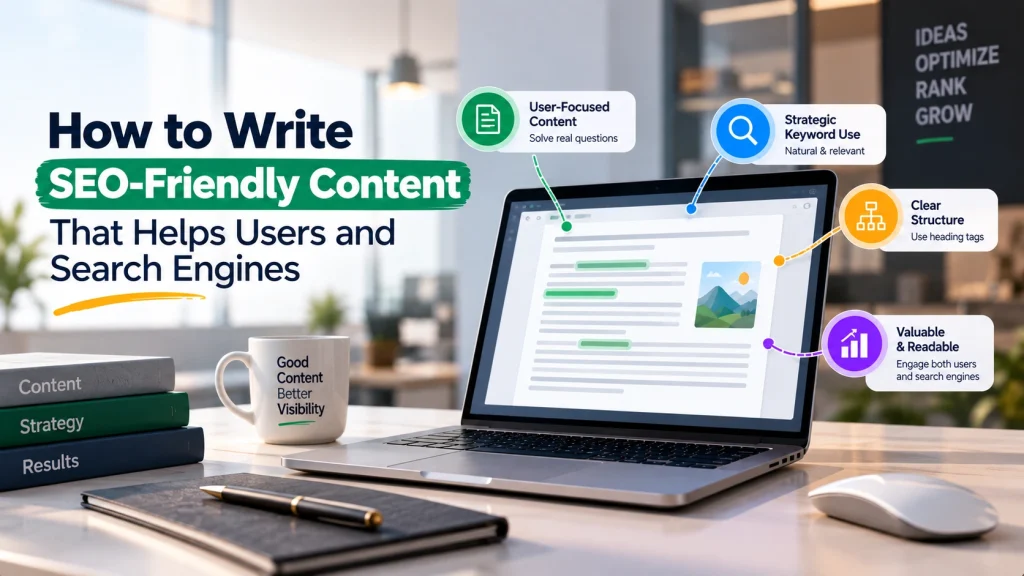
Internal Linking in SEO is an important practice that helps connect different pages on the same website. These links guide visitors toward relevant information while helping search engines understand the relationship between your pages and content. A well-planned internal linking structure can make a website easier to navigate, improve content discoverability, and support a stronger overall SEO strategy. In this guide, you will learn what is internal linking, how it works, why it matters, and how to use it effectively. In This Article What Is Internal Linking? Internal links are hyperlinks that connect one page of a website to another page on the same domain. For example, a blog about SEO-friendly content may link to another article about keyword placement or a relevant service page about Search Engine Optimization. The main purpose of internal linking is to create logical connections between related pages. This helps users discover additional useful information without needing to search for it separately. A strong internal linking structure should always focus on relevance. The linked page should provide genuine additional value to the reader. How Internal Linking Works in SEO Understanding how internal linking works starts with website structure. Search engines discover pages by following links, including links between pages on your own website. When relevant pages are connected, search engines can better understand how different topics relate to each other. For example, several articles about content optimization, keywords, URLs, and image SEO can support a broader topic cluster around Search Engine Optimization. Internal links also help visitors move naturally through your website. Someone reading a beginner-level article can easily continue to a more detailed guide when relevant links are placed in the right context. This creates a better navigation experience and helps important content become easier to discover. Benefits of Internal Linking The benefits of internal linking extend beyond simply connecting pages. A thoughtful strategy can help improve: Internal links are especially valuable for websites with a growing number of blogs, service pages, and resources. Without proper connections, useful pages can become difficult for visitors and search engines to discover. Best Practices for Internal Linking in SEO For effective internal linking in SEO, focus on quality rather than adding links everywhere. Use descriptive anchor text that clearly explains what users can expect after clicking. For example, “learn more about keyword placement” is more useful than a generic phrase such as “click here.” Link only to pages that are genuinely relevant to the surrounding content. A natural link should feel like a helpful continuation of the topic. It is also useful to connect related articles strategically. For example, an article about How to Write SEO-Friendly Content can naturally connect with topics such as URL optimization, image optimization, and keyword placement. Review older content regularly to identify useful opportunities for linking to newer and relevant pages. Common Internal Linking Mistakes to Avoid One common mistake is adding too many links without considering relevance. This can make content distracting and less useful. Another mistake is repeatedly using the exact same keyword-rich anchor text. Natural language and context should guide your anchor text choices. Avoid linking to unrelated pages simply because you want to promote them. The importance of internal linking comes from creating meaningful connections that help users and support a clear website structure. Frequently Asked Questions Q1. What is internal linking in SEO? Ans: Internal linking in SEO means connecting one page of your website to another relevant page on the same website using hyperlinks. Q2. Why is internal linking important? Ans: Internal linking helps users navigate your website, discover relevant content, and understand the connection between different topics and pages. Q3. How many internal links should a page have? Ans: There is no single fixed number. Add internal links when they are relevant and useful to the reader rather than adding links unnecessarily. Q4. What makes a good internal link? Ans: A good internal link connects to a relevant page, uses clear anchor text, and provides additional value related to the topic being discussed. Conclusion Internal Linking in SEO helps create a more connected, organized, and user-friendly website. By linking relevant pages naturally, businesses can improve content discovery, navigation, and topical structure. The best approach is simple: create links because they help the reader, not merely because they contain a keyword. Build a Better SEO Structure for Your Website A strong internal linking strategy requires an understanding of your website content, page relationships, and broader Search Engine Optimization goals. TVM Info Solutions provides professional SEO support to help businesses develop a structured and relevant approach to improving their search presence. 📞 Call Us: +919004590039📧 Email: contact@tvminfo.com Our Business Automation Solutions: 💬 ChatKar – Turn WhatsApp chats into sales🌟 StarCreator – Build AI automations📧 AutoMailSend – Own your email marketing🎯 AttractLead – Capture & convert leads automatically

How to Write SEO Friendly Content That Helps Users and Search Engines
SEO

How to Write SEO-Friendly Content That Helps Users and Search Engines

Creating content that performs well in search results requires more than adding keywords to a page. To Write SEO-Friendly Content, you need to understand what users are searching for, provide clear answers, organize information logically, and make every section genuinely useful. A strong approach to SEO-friendly content writing combines search intent, relevant keywords, readability, topical depth, and a positive user experience. This guide explains the practical steps businesses and content writers can follow to create content that is useful for both readers and search engines. In This Article Start With Search Intent and Audience Needs Before writing, understand why someone is searching for the topic. Are they looking for information, comparing solutions, or preparing to make a decision? Search intent should guide the content from the beginning. Review the main topic, identify the questions readers are likely to have, and ensure your article answers them clearly. For example, someone searching “how to write SEO-friendly content” usually wants practical guidance—not a long history of search engines. Build a Clear SEO Content Strategy An effective SEO content strategy starts with planning. Define the main topic, identify the primary keyword, and select relevant supporting topics that help readers understand the subject completely. Create a logical structure before writing. Your headings should guide readers through the topic naturally rather than simply repeating keywords. A well-planned article should answer the main question first and then provide supporting explanations, examples, and practical considerations. This makes the content easier to read and helps establish clear topical relevance. Use Keywords Naturally and in Context Keywords help communicate the topic of a page, but they should never control every sentence. Good SEO-friendly writing techniques focus on natural language. Use your primary keyword in important places where it genuinely fits, such as the title, introduction, and relevant headings. Then use related terms, synonyms, and supporting concepts throughout the article. For example, content about SEO-friendly content writing may naturally include terms such as search intent, content structure, internal linking, and user experience. Avoid repeating the exact same phrase unnecessarily. If a sentence sounds unnatural because of a keyword, rewrite it for clarity. Structure Content for Easy Reading Even valuable information can lose readers if it is difficult to scan. Use clear headings, short paragraphs, bullet points, and examples where appropriate. A strong structure usually includes: Clear formatting also makes it easier for readers to quickly find the information they need. Create Helpful, Accurate, and Trustworthy Content The best way to Write SEO-Friendly Content is to focus on usefulness. Avoid adding filler simply to increase word count. Explain concepts accurately, answer important questions directly, and keep claims realistic. When discussing complex topics, provide enough context for readers to understand the subject without unnecessary jargon. Content should also be updated when information becomes outdated. A consistent focus on quality, relevance, and user value creates a stronger foundation than keyword repetition alone. Frequently Asked Questions Q1. What is SEO-friendly content writing? Ans: SEO-friendly content writing is the process of creating useful, well-structured content that addresses search intent while helping search engines understand the topic through relevant context and natural optimization. Q2. How do I write SEO-friendly content without keyword stuffing? Ans: Use keywords only where they fit naturally. Focus on answering the reader’s questions and use related terms and concepts to explain the topic clearly. Q3. How important is search intent for SEO content? Ans: Search intent is essential because it helps determine what information a user expects to find. Content should match the purpose behind the search as closely as possible. Q4. What should an SEO content strategy include? Ans: A good SEO content strategy should include audience research, search intent, topic planning, keyword research, content structure, and regular content review. Conclusion To Write SEO-Friendly Content, start with the reader’s needs and build the page around useful, relevant information. Combine clear structure, natural keyword usage, and accurate explanations to create content that serves both users and search engines. Good SEO content is not about writing for algorithms alone—it is about making information easier to find, understand, and use. Build a Stronger Content Strategy for Search Visibility Creating consistent, high-quality content requires planning, optimization, and a clear understanding of your audience. TVM Info Solutions provides professional Search Engine Optimization (SEO) support, including on-page optimization and content strategy, for businesses looking to strengthen their search visibility. TVM Info’s services include SEO and digital marketing solutions designed to support broader online growth. 📞 Call Us: +919004590039📧 Email: contact@tvminfo.com Our Business Automation Solutions: 💬 ChatKar – Turn WhatsApp chats into sales🌟 StarCreator – Build AI automations📧 AutoMailSend – Own your email marketing🎯 AttractLead – Capture & convert leads automatically
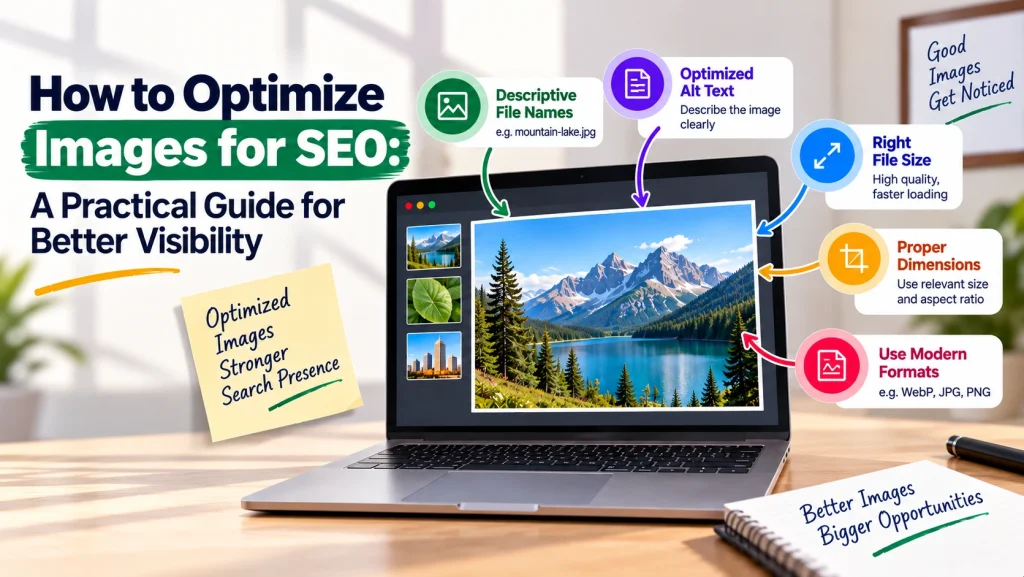
Image Alt Text SEO Guide to Writing Better Descriptions
SEO

Image Alt Text: SEO Guide to Writing Better Descriptions

Images can make a webpage more engaging, but search engines and screen readers need additional information to understand what an image represents. This is where alt text becomes important. A well-written Image Alt Text: SEO Guide helps website owners understand how to create useful image descriptions that support accessibility, user experience, and image SEO. In this guide, you will learn what is image alt text, why it matters, how to write alt text, and the key practices to follow when optimizing images for your website. In This Article What Is Image Alt Text? Alt text, also called alternative text, is a written description added to an image through its HTML or content management system. It helps screen readers communicate the meaning of an image to visually impaired users. Alt text can also provide context when an image cannot load properly. For search engines, descriptive alt text for images helps provide additional information about the visual content and its relationship to the surrounding page. For example, instead of writing: Alt text: “SEO image” A more useful description could be: Alt text: “Marketing professional reviewing website image optimization on a laptop” The second example clearly describes what the image contains. How Alt Text Supports Image SEO Image SEO involves helping search engines better understand and index visual content. Alt text is one part of a broader image optimization strategy that can also include descriptive filenames, appropriate image formats, page context, and fast-loading visuals. Good alt text should describe the image accurately while remaining relevant to the content around it. If a keyword naturally fits the description, it can be included—but forcing keywords into every image description can reduce clarity. The goal is simple: describe the image for people first. How to Write Alt Text Effectively Following strong alt text best practices can make descriptions more useful and natural: For example, if an image shows a business team analyzing website performance charts, describe that activity rather than simply adding a list of SEO keywords. How to Add Alt Text to Images Understanding how to add alt text depends on the platform you use. Most website builders and content management systems provide an Alt Text field when you upload or edit an image. Before publishing, review every important image and ask: Does this description accurately explain the image’s purpose? Decorative images that provide no meaningful information may not require descriptive alt text. Functional images, such as buttons or icons that perform an action, should communicate their purpose clearly. Common Alt Text Mistakes to Avoid Poor alt text for images often comes from trying too hard to optimize for keywords. Avoid: Effective image optimization should improve understanding, not create unnecessary text. Frequently Asked Questions Q1. What is image alt text? Ans: Image alt text is a written description that explains an image’s content or purpose, primarily helping screen readers and providing context when images cannot be displayed. Q2. Does alt text help SEO? Ans: Alt text can support image SEO by helping search engines understand the content and context of an image. However, it should always be descriptive and relevant rather than keyword-stuffed. Q3. How long should alt text be? Ans: There is no need to follow an exact word count. The best approach is to keep alt text concise while including the important information needed to understand the image. Q4. Should every image have alt text? Ans: Informational and functional images generally need appropriate descriptions. Decorative images may be handled differently because they do not add meaningful content to the page. Conclusion Writing effective alt text is a simple but valuable part of creating SEO-friendly images and improving website accessibility. Focus on accurately describing meaningful visual content, keeping descriptions concise, and using keywords only when they naturally fit the image. A thoughtful approach to image optimization for SEO can help create a better experience for both users and search engines. Improve Your Website SEO With Better On-Page Optimization Managing image alt text across a growing website can become challenging, especially when it needs to align with broader Search Engine Optimization (SEO) and content strategies. TVM Info Solutions provides professional digital marketing and SEO support for businesses looking to improve their website’s search visibility and on-page optimization. 📞 Call Us: +919004590039📧 Email: contact@tvminfo.com Our Business Automation Solutions: 💬 ChatKar – Turn WhatsApp chats into sales🌟 StarCreator – Build AI automations📧 AutoMailSend – Own your email marketing🎯 AttractLead – Capture & convert leads automatically
How to Optimize Images for SEO A Practical Guide for Better Visibility
SEO

How to Optimize Images for SEO: A Practical Guide for Better Visibility

Images can make a website more engaging, easier to understand, and visually appealing. However, poorly optimized images can slow down pages and make it harder for search engines to understand their context. Learning how to Optimize Images for SEO helps businesses improve both user experience and search visibility. This guide explains the essential image optimization techniques you can use to create faster, more accessible, and SEO-friendly images. In This Article Why Image Optimization Matters for SEO Image SEO is about helping search engines and users understand your visual content while maintaining strong website performance. Large, uncompressed images can increase page loading time, while unclear filenames and missing alt text provide less context about what an image represents. Effective image optimization for SEO supports several important areas, including page speed, accessibility, user experience, and search engine understanding. The goal is not simply to add keywords to every image but to provide relevant visual content with meaningful information. Choose the Right Format and Reduce File Size One of the most important image optimization techniques is selecting an appropriate file format. Common formats include JPEG, PNG, WebP, and SVG, and each serves different purposes. For example, photographs may work well in compressed formats, while logos and simple graphics may require formats that preserve sharp details. Modern formats such as WebP can often help reduce file sizes while maintaining good visual quality. Before uploading images, resize them according to their intended display dimensions and compress them carefully. Avoid uploading an extremely large image when it will only appear as a small website element. Use Descriptive Filenames and Alt Text If you want to know where to start with image SEO, filenames and alt text are essential. Instead of uploading a file named IMG_4582.jpg, use a descriptive filename such as seo-image-optimization-guide.jpg when it accurately represents the image. Alt text should clearly describe the image for users and assistive technologies. It can also provide useful context to search engines. Keep it natural and specific rather than repeatedly inserting keywords. For example, an image showing a marketer compressing website images could use alt text such as: “Professional optimizing website images for faster page loading.” How to Optimize Images for SEO With Better Context Search engines consider more than the image file alone. The surrounding content, headings, captions, and page topic can help establish what an image is about. Place images near relevant text and use visuals that genuinely support the content. Where appropriate, captions can provide additional context. You should also ensure that images work properly across different devices. Responsive design, suitable dimensions, and efficient loading practices contribute to a better overall experience. These steps are important when learning how to optimize images for SEO without sacrificing visual quality. Common Mistakes to Avoid Avoid these common issues when creating SEO-friendly images: A good approach balances visual quality, relevance, accessibility, and performance. Frequently Asked Questions Q1. What is image SEO? Ans: Image SEO is the process of optimizing images so they provide better context, accessibility, and website performance while supporting search visibility. Q2. Which image format is best for SEO? Ans: There is no single format that is best for every situation. The right choice depends on the image type, required quality, and file size. Modern formats such as WebP can be useful for many website images. Q3. Does alt text help image optimization for SEO? Ans: Yes. Alt text helps describe an image and improves accessibility. It should accurately explain the image rather than being used for keyword stuffing. Q4. How can I reduce image file size without losing quality? Ans: Resize images to appropriate dimensions and use reliable compression methods. Always check the final image to ensure the quality remains suitable for your website. Conclusion To Optimize Images for SEO, focus on meaningful filenames, useful alt text, appropriate formats, reduced file sizes, and relevant page context. These practices can help create a faster and more user-friendly website while making visual content easier to understand. Improve Your Website’s SEO and Image Performance With Expert Support Effective image optimization works best as part of a broader Search Engine Optimization (SEO) strategy. TVM Info Solutions provides professional digital marketing and SEO support for businesses looking to improve website visibility, content quality, and overall digital performance. Discuss your business requirements with our team to build a strategy suited to your website.

Keyword Placement in SEO Content Where and How to Use Keywords Naturally
SEO

Keyword Placement in SEO Content: Where and How to Use Keywords Naturally

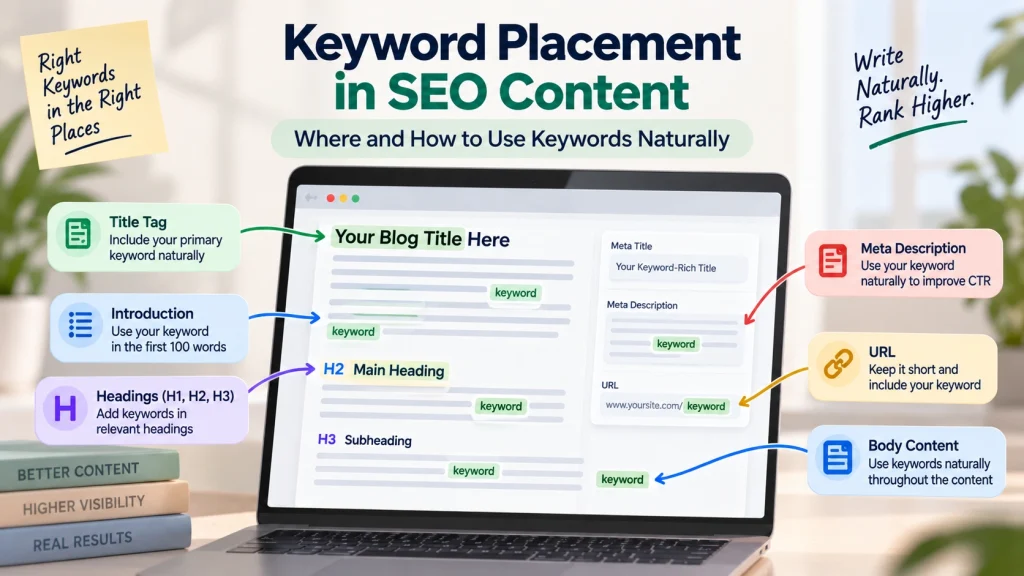
Keyword placement in SEO content is about using relevant search terms in the right places so that both search engines and readers can clearly understand what your content is about. The goal is not to repeat a keyword as often as possible. Instead, effective placement helps communicate the topic naturally while maintaining readability and value. If you are wondering where to place keywords or how to use keywords in content, this guide explains the most important areas to focus on and the mistakes to avoid. In This Article What Is Keyword Placement in SEO Content? Keyword placement refers to the strategic use of primary keywords, secondary keywords, and related terms throughout a webpage or article. A well-optimized page should make its main topic clear without sounding repetitive. Search engines evaluate many signals to understand content, including the page title, headings, body content, URL, and overall topical relevance. For example, an article targeting Keyword Placement In SEO Content should naturally discuss topics such as content optimization, search intent, headings, keyword relevance, and readable content. Where to Place Keywords for Better SEO Knowing where to place keywords can help you structure content more effectively. Important locations include: These placements should improve clarity rather than make the content feel artificially optimized. How to Use Keywords in Content Naturally When learning how to place keywords in content, focus on meaning rather than repetition. Use your primary keyword where it fits naturally, then support it with secondary keywords, synonyms, and closely related concepts. For instance, instead of repeatedly using the same phrase, you can naturally include terms such as keyword placement best practices, SEO-friendly content, and how to use keywords in content. This approach creates stronger topical relevance while making the article easier to read. Each section should answer a specific question or provide useful information for the reader. Keyword Placement Best Practices Effective URL optimization for SEO and content optimization in general starts with understanding what the user is searching for. Before adding keywords, identify the search intent behind the topic. Follow these practical best practices: Modern search systems increasingly focus on context and topical relevance, so useful content matters more than simply repeating an exact phrase. Common Keyword Placement Mistakes to Avoid One of the biggest mistakes is keyword stuffing. Repeating the same keyword excessively can make content difficult to read and reduce its overall quality. Other common mistakes include using irrelevant keywords, creating unnatural headings, and adding keywords where they do not support the topic. The best approach is simple: use keywords to help define the subject, then provide clear and useful answers around that subject. Frequently Asked Questions Q1. What is keyword placement in SEO? Ans: Keyword placement in SEO means using relevant keywords strategically in areas such as the title, headings, introduction, body content, meta description, and URL to clearly communicate a page’s topic. Q2. Where should I place keywords in an article? Ans: You can place keywords naturally in the SEO title, H1, introduction, relevant headings, body content, meta description, and URL. Not every keyword needs to appear in every location. Q3. How many times should a keyword appear in content? Ans: There is no ideal keyword frequency that works for every article. Use the keyword naturally where it helps explain the topic, without repeating it unnecessarily. Q4. Should I use the exact same keyword in every heading? Ans: No. Use keywords in headings only when they accurately describe the section. Clear and descriptive headings are more useful than forcing the same keyword repeatedly. Conclusion Effective Keyword Placement In SEO Content is about relevance, context, and readability. Place important keywords in meaningful areas, support them with related terms, and ensure every section genuinely helps the reader. A well-structured page communicates its topic clearly without sacrificing content quality. Build More Effective SEO Content With Professional Support Creating SEO content requires more than inserting keywords into a page. Businesses need the right balance of keyword research, search intent, content structure, and on-page optimization. TVM Info Solutions provides professional Search Engine Optimization (SEO) support to help businesses build stronger and more relevant digital content strategies. 📞 Call Us: +919004590039📧 Email: contact@tvminfo.com Our Business Automation Solutions: 💬 ChatKar – Turn WhatsApp chats into sales🌟 StarCreator – Build AI automations📧 AutoMailSend – Own your email marketing🎯 AttractLead – Capture & convert leads automatically

How to Optimize URLs for SEO A Practical Guide for Better Website Structure
SEO

How to Optimize URLs for SEO: A Practical Guide for Better Website Structure

URLs are an important part of website structure and on-page SEO. A clear URL helps users understand what a page is about and makes website navigation easier. When you Optimize URLs For SEO, the goal is not to manipulate search engines with keywords, but to create clean, logical, and user-friendly page addresses. This guide explains how to optimize URLs, create an SEO-friendly URL structure, and avoid common URL optimization mistakes. In This Article What Is URL Optimization? URL optimization for SEO is the process of creating URLs that are clear, descriptive, and easy for both users and search engines to understand. For example: Less clear: www.example.com/page?id=123 More descriptive: www.example.com/seo-services A descriptive URL provides useful context about the page. However, URLs should remain concise and should not contain unnecessary keywords or complicated parameters when a cleaner structure is possible. How to Optimize URLs for SEO When creating an SEO-friendly URL, focus on simplicity and relevance. Here are some practical URL optimization practices: For example, a page about website SEO services could use: /search-engine-optimization instead of: /services/page-12/seo-service-best-company The second URL is longer and less clear. SEO-friendly URLs should communicate the page topic without becoming unnecessarily complicated. Create a Logical SEO-Friendly URL Structure A well-planned SEO-friendly URL structure helps organize website content logically. URLs should reflect the relationship between pages where that structure genuinely helps users understand the website. For example: /services/search-engine-optimization/ This structure clearly indicates that Search Engine Optimization belongs within the services section. However, deeper URL structures are not always better. Avoid creating multiple unnecessary folders simply to include more keywords. The priority should be clarity, consistency, and easy navigation. Businesses should also maintain a consistent URL format across their website. Changing URL structures frequently can create technical issues if old URLs are not properly redirected. Avoid Common URL Optimization Mistakes Some common mistakes can make URLs confusing or difficult to manage: Keyword stuffing: Repeating multiple keyword variations in one URL. Overly long URLs: Adding unnecessary words and folders. Changing URLs without redirects: This can lead visitors and search engines to unavailable pages. Using unclear page names: Random IDs and meaningless words provide little context. Before changing an existing URL, consider whether the change is genuinely necessary. If an important URL must be changed, proper redirects should be implemented to guide users and search engines to the new page. Why URL Optimization Matters for Your Website URL optimization is one part of a broader Search Engine Optimization strategy. Clean URLs can support better website organization, clearer navigation, and a more understandable experience for visitors. A strong website structure should work alongside quality content, relevant page titles, internal linking, and technical SEO. Rather than treating URLs as an isolated ranking tactic, businesses should view them as part of creating a well-organized and user-friendly website. Frequently Asked Questions Q1. What is URL optimization? Ans: URL optimization is the process of creating clear, descriptive, and well-structured URLs that accurately represent a webpage’s content. Q2. How do I create an SEO-friendly URL? Ans: Use short, descriptive words, separate words with hyphens, avoid unnecessary characters, and keep the URL relevant to the page content. Q3. Should I include keywords in URLs? Ans: Relevant keywords can be included naturally when they accurately describe the page. Avoid forcing or repeating keywords unnecessarily. Q4. Should I change old URLs for SEO? Ans: Only change existing URLs when there is a genuine reason. If you change an important URL, implement appropriate redirects to help preserve access to the new page. Conclusion Learning how to Optimize URLs For SEO helps create a cleaner and more organized website. Focus on clarity, relevance, consistency, and user experience rather than adding as many keywords as possible. A simple, descriptive URL structure can support a stronger overall SEO foundation. Build a Stronger Website SEO Foundation A well-structured website requires attention to many connected SEO elements, including URL structure, on-page optimization, technical SEO, and content organization. TVM Info Solutions provides professional SEO support for businesses looking to improve their website’s search visibility and overall digital presence. 📞 Call Us: +919004590039📧 Email: contact@tvminfo.com Our Business Automation Solutions: 💬 ChatKar – Turn WhatsApp chats into sales🌟 StarCreator – Build AI automations📧 AutoMailSend – Own your email marketing🎯 AttractLead – Capture & convert leads automatically

Scroll to Top